Constraints
Profiles
A Constraint Profile is a set of constraint types, which can be grouped and weighted together into one "Profile" that will be used by the solver. The solver will come up with the best solution available given the constraint types and weights applied.
The solver will ensure that a ‘Hard’ constraint is adhered to at all times
The solver will try to adhere to ‘Soft’ constraint whilst also taking into consideration the priority of the groupings.
It will prioritise group 1, then group 2, then group 3.
Weightings within groups allow you to favour one constraint type over another within just that group.
Profiles Overview
From the Puls8 Replan Menu click on the [ Constraints ] menu. This will open the Constraints screen which will show all of the constraint profiles that have been created.
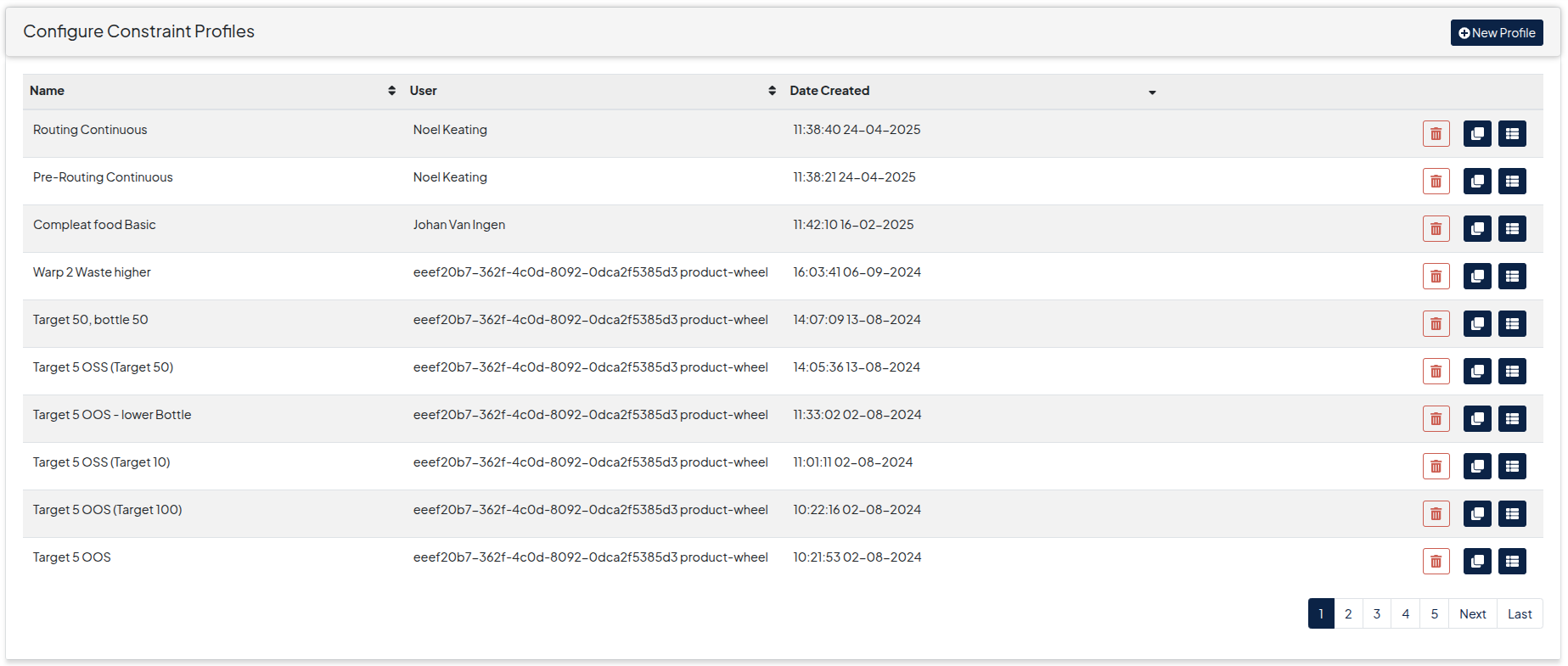
Constraint Table Actions
- A constraint profile can be Viewed by clicking on the button on the row of the individual constraints.
- A constraint profile can be Cloned by clicking on the button on the row of the individual constraints.
- A constraint profile can be Deleted by clicking on the button. Note that plans using a particular constraint profile must be deleted before that constraint profile can be deleted.