Solutions
Create a New Solution
A new solution is created by applying a set of constraints to the Plan and then running the Plan to produce an optimized set of results. Click on the [ ] button.
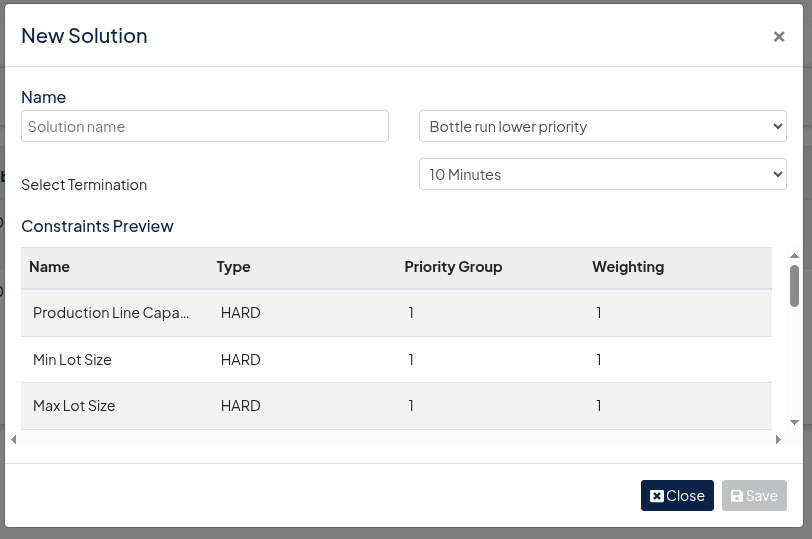
Choose a Solution name, and then select the Constraints Configuration to be applied to the Plan. This will then expand to show the constraints profile being applied to the solution.
Select the Termination of the solution which will apply a time limit to the running of the solution. The longer a solution runs for the better the results will be. After a certain amount of time the improvements in solution quality are minimal. An hour will usually give a good solution for a complex scenario.
Click on the [ Save ] button to begin running the solution.
Solution Status
- The status of the solution will show as when the solution is running.
- When it is complete, the status will show as
- A solution can be stopped from running by clicking on the button.